 Q3
Q3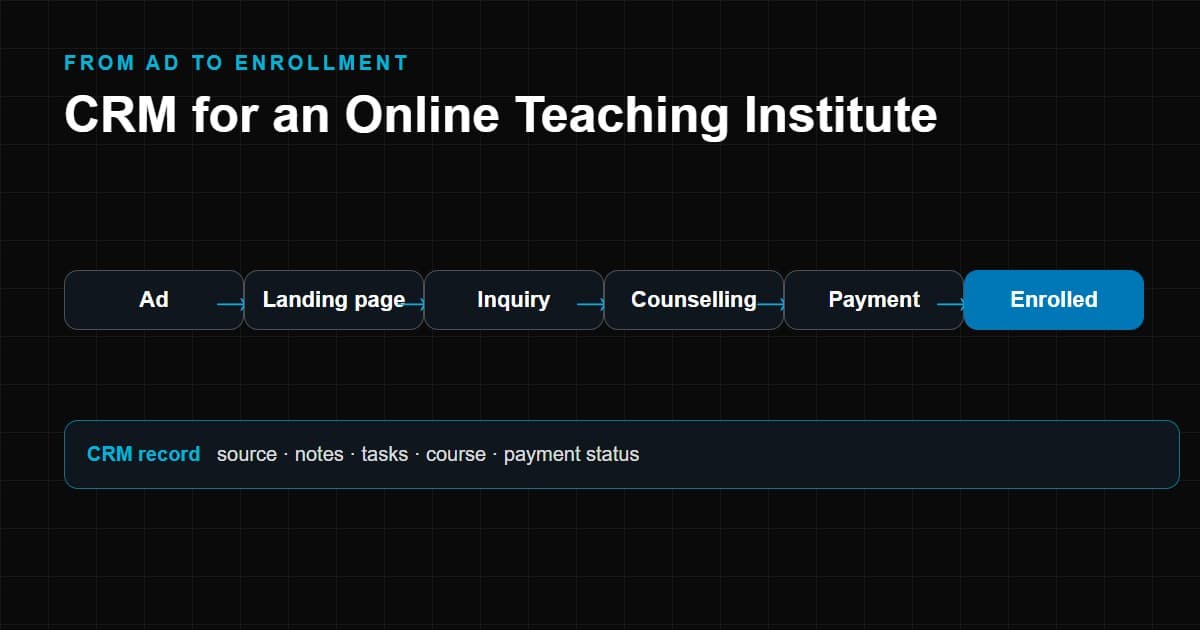
An online teaching institute does not have a front desk. Its "campus" is a landing page, an ad account, a WhatsApp number and a payment link. Prospective students arrive from many places, at any hour, often after seeing one advertisement, and they compare options in minutes. What happens in the first hours after they show interest usually decides whether they enroll.
That is why a CRM for an online teaching institute matters more than it might for a traditional school. Lead volume is higher and more variable, sources are more numerous, the sales cycle is shorter, and the marketing spend is often measurable down to a single click. Without a system that connects the ad, the inquiry, the counselling call and the payment, you can see what you spend but not what it produces.
This guide explains why spreadsheets and chat apps stop working, how the student journey maps into a CRM, how lead management and automation work in practice, what features matter, how to choose software and how to roll it out. If you run a physical school, our article on CRM for private schools covers a different workflow. For the wider category, see the education CRM complete guide.
Why Online Teaching Institutes Need a CRM
Most online institutes begin with tools that are free, familiar and fast: a spreadsheet, an email inbox and WhatsApp. They work at first. The trouble is that each tool holds a fragment of the picture.
| Tool | What it does well | Where it falls short for enrollment |
|---|---|---|
| Spreadsheet | Quick to start, flexible | No reminders, no history, conflicting versions, weak permissions |
| Email inbox | Formal communication | Conversations tied to individual mailboxes, hard to see status |
| WhatsApp on phones | Students reply quickly | Conversations live on personal devices; history leaves with the person |
| Ad platforms | Show clicks and lead form submissions | Stop at the form; do not know who enrolled |
| Website forms | Capture inquiries | Send notifications, not workflow |
| CRM | Combines records, tasks, history, sources and stages | Needs setup and discipline, but ties the others together |
The operational problems from fragmentation are predictable:
- A lead from an ad form is exported into a sheet once a day, and by then it is cold.
- Two counsellors call the same student without knowing, or nobody does.
- A counsellor leaves and their WhatsApp conversations go with them.
- Management cannot tell which campaign produced paying students, only which produced inquiries.
- Students who asked to be called next month are forgotten.
A CRM does not cure a weak offer or poor counselling. What it does is stop good leads from being lost to process failures, and it gives you the data to see where the real problems are.
The Student Journey for an Online Teaching Institute
Online enrollment follows a path that a CRM can model stage by stage.
Ad → Landing page → Inquiry → Counselling → Follow-up → Course selection → Payment → Enrollment → Student communication
- Ad. A student sees a search ad, social ad, video, post or referral.
- Landing page. They read about the course and decide whether to leave details.
- Inquiry. A form submission, call, chat or message creates a lead. The CRM should capture the source and campaign along with the contact details.
- Counselling. A counsellor speaks with the student to understand their goals, level and constraints, and to recommend a course.
- Follow-up. The student asks for time, a demo class or a discount or compares alternatives. The CRM schedules the next contact.
- Course selection. The student decides on a course, batch or schedule.
- Payment. They pay in full or in instalments. The payment status is tracked against their record.
- Enrollment. Access to classes or the learning platform is granted.
- Student communication. Onboarding messages, class reminders and support continue, and the record supports retention and later course sales.
The journey is shorter than in a traditional school, but each hand-off is a place where students fall away. The CRM's job is to make each hand-off visible.
How a CRM Manages Online Course Leads
Lead management here means bringing every inquiry into one place, identifying where it came from and making sure someone acts on it.
Lead sources an online institute typically needs to track:
- Website forms, including course pages and enquiry pop-ups
- Google Ads and other search advertising
- Meta Ads, such as Instagram and Facebook lead forms and click-to-message ads
- WhatsApp enquiries, whether started by the student or by an ad
- Phone calls, including missed calls
- Landing pages built for specific campaigns
- Referrals from students, parents or partners
- Social media direct messages and comments
For each lead the CRM should store:
- The channel and, where possible, the campaign or ad that produced it
- The course or programme of interest
- The date and time of first contact
- The assigned counsellor
- The current stage
- All communication and notes
- The outcome, including a reason if the lead was lost
Routing matters. New leads can be assigned in rotation, by course, by language or by counsellor availability. What matters is that the assignment is deliberate and visible, and that a lead never sits unowned.
Deduplication matters too. A student who fills a form, calls the next day and then messages on WhatsApp should appear as one person with three interactions, not three leads. This is central to accurate reporting, because duplicated leads inflate lead counts and distort your cost per enrollment.
How CRM Automation Helps Online Teaching Institutes
Automation is where a CRM saves the most staff time. The rule of thumb is to automate the routine and protect the conversation.
- Automated follow-ups. When a lead arrives, the system can send an acknowledgement and create a task for the counsellor to call within a set time.
- Lead assignment. Rules distribute leads by course, source or workload so nobody chooses whom to call by whim.
- Reminders. Tasks appear in the counsellor's list on the day they are due, and overdue tasks are visible to a manager.
- Email and messaging. Templates for course information, demo class invitations, payment reminders and onboarding, sent through supported channels and respecting opt-ins.
- Counselling workflows. Scripts and checklists that ensure key questions are asked, such as goals, current level and preferred schedule, and recorded in structured fields.
- Lead scoring, where supported. Some CRMs rank leads using rules based on behaviour and profile, such as attending a demo or replying to messages. Treat scores as a prioritization aid and review them against real outcomes; capabilities vary widely between products.
- Pipeline movement. Moving a lead to "demo attended" or "payment pending" can automatically trigger the next task or message.
- Re-engagement. Leads who went quiet can be added to a follow-up sequence after a set period, and leads who declined can be revisited before the next intake.
Two cautions. First, messaging channels have their own policies on consent and templates, so confirm what your provider and CRM allow. Second, over-automation is visible to students. A message sent seconds after a call that says "we haven't heard from you" damages trust. Test sequences with real scenarios and review them periodically.
CRM Features for Online Teaching Institutes
Below are the capabilities that matter most in this context, and what each means in daily use.
Lead management. Central list with filters by source, course, stage, counsellor and date. Speed matters: counsellors should reach any record in seconds.
Course management. A catalogue of courses, batches and start dates that leads can be linked to, so you can see demand by course and which batches are filling.
Student records. A single profile that begins as a lead and continues as a student, with contact details, interests, payments, enrolled courses and history.
Counsellor management. Assignment rules, workload views, performance dashboards and the ability to reassign records when someone is absent or leaves.
Communication history. Calls, emails, messages and notes on the same timeline, so anyone can see what was said. Call logging and recording depend on the telephony integration and on local rules about consent.
Follow-up automation. Tasks, reminders and sequences as described above.
Enrollment tracking. The stage from inquiry to confirmed student, with the reasons students drop out at each point.
Payment tracking. Which students have paid, which have partial or instalment payments, and which need a reminder. This may be native or come from a payment gateway integration.
Reporting. Funnel reports, conversion by source, counsellor activity and time-to-first-contact.
Source tracking. Capturing where every lead came from, including tracking parameters from campaigns.
Campaign attribution. Linking spend to outcomes so you can compare campaigns by cost per enrollment rather than cost per lead. This requires clean source data and, usually, a connection to your ad accounts or careful tagging.
Integrations. Connections to your website, ad platforms, email service, messaging providers, telephony, payment gateway and learning platform. An online institute's CRM is only as useful as its connections.
CRM vs Spreadsheet for Online Teaching
Spreadsheets do not fail suddenly; they get gradually worse. This table compares them across the situations that arise as an institute grows.
| Situation | With a spreadsheet | With a CRM |
|---|---|---|
| A lead arrives at 11 pm from an ad | Waits until someone exports it | Created instantly and assigned |
| Two people work on the same list | Conflicting versions or locking | Real-time shared record |
| A counsellor is on leave | Their list is unavailable | Records reassigned with history |
| You want to know which ad produced students | Manual matching across sheets | Source stored on the record |
| A student says "call me next week" | Depends on a note | Task with a due date and an alert |
| A student pays in two instalments | Separate sheet or memory | Payment status on the record |
| A lead inquires again for another course | Possibly a second row | One profile with two interests |
| A staff member leaves | Their private files may leave too | Data stays in the institute's system |
| You need a weekly funnel report | Half a day of formulas | Standard dashboard |
| Student data must be deleted on request | Search several files | Locate and remove in one place |
Spreadsheets remain useful for one-off analysis and quick exports. The point is not to abandon them, but to stop using them as the system of record.
How CRM Can Improve the Enrollment Process
Without inventing numbers, here is how a CRM can improve enrollment outcomes, through mechanisms you can observe and measure in your own data.
- Faster first response. Automatic acknowledgement and instant assignment reduce the time between a student's interest and a conversation. Speed matters because students often contact several providers.
- Fewer lost leads. Reminders and ownership reduce the number of leads that fall through the cracks.
- Better counselling. Notes, history and structured qualification questions let counsellors have more relevant conversations.
- More disciplined follow-up. Multiple touchpoints over days or weeks, rather than one attempt and silence.
- Visibility of drop-off. Stage-by-stage data shows where students leave: after the demo, after the price, after the payment link. That guides what to fix.
- Smarter spend. Comparing sources by enrollment, not just inquiry, shows which campaigns deserve budget.
- Learning from lost leads. Recording why students decline reveals patterns in price, timing, course fit or competitors.
Measure before and after. Record your current time-to-first-contact, follow-up completion and lead-to-enrollment rate, then compare after several weeks of consistent use. Results depend on your offer, pricing, team and market; the CRM makes the change visible, but it does not guarantee one.
How to Choose CRM Software for an Online Teaching Institute
Base the decision on how your institute actually operates, and score each tool against these criteria.
| Criterion | What to check | Why it matters |
|---|---|---|
| Number of leads | Monthly volume and peaks during campaigns | Affects pricing tiers and performance |
| Number of courses | Can you link leads to courses, batches and intakes? | Course-level demand and reporting |
| Counselling team | Size, shifts, languages, remote or in-office | Assignment rules, permissions and workload views |
| Communication channels | Phone, email, WhatsApp, SMS, chat | Ensure the ones you use are supported officially |
| Automation needs | Assignment, reminders, sequences, stage triggers | Simple tools may lack multi-step automation |
| Integrations | Ad platforms, forms, payment gateway, learning platform, accounting | Reduces manual entry and improves attribution |
| Reporting | Funnel, source, counsellor, campaign | Ability to answer your management questions |
| Scalability | What happens at 5x your leads or team? | Avoid a migration within a year |
| Data security and privacy | Access controls, hosting location, export, consent handling | You hold personal data, sometimes of minors |
| Ease of use | Can a new counsellor use it after short training? | Adoption determines data quality |
| Budget | Per-user fees, messaging and telephony costs, setup, support | Total cost, not the headline price |
Categories to consider: general-purpose CRMs you configure yourself, education-focused CRMs built around inquiries and enrollment, and custom systems. If your workflow is unusual, our guide to custom CRM vs ready-made CRM explains when building is justified. For a wider view of the education-specific category, read the education CRM complete guide.
Run a real trial: import a sample of leads, connect one channel, and have counsellors handle a week of actual work in it. Their feedback is more reliable than a demonstration.
Common CRM Mistakes Online Institutes Make
- Treating all leads the same. A student who requested a demo is not the same as one who clicked a broad ad. Use stages and priority.
- Not capturing the source. Without it you cannot compare campaigns. Make source a required field or capture it automatically.
- Letting WhatsApp stay outside the system. If key conversations stay on personal phones, the CRM has gaps. Use supported integrations or log important conversations.
- Ignoring speed. A perfect pipeline cannot help if the first call happens two days later.
- Too many stages. A pipeline with fifteen stages is not maintained. Keep it as simple as your process allows.
- No lost-reason discipline. "Not interested" is not a reason. Standardize reasons so patterns appear.
- Over-automation. Sequences that keep messaging students who have already paid, or already declined.
- Measuring leads, not enrollments. Cheap leads that do not enroll are expensive.
- Weak data hygiene. Duplicates, missing phone numbers and inconsistent course names ruin reports.
- Forgetting privacy. Collect only what you need, record consent and set sensible access. The rules that apply depend on where you and your students are; get qualified advice.
- No plan for after enrollment. The same system can support onboarding, retention and course upsell.
Implementation Roadmap
Weeks 1–2: Define
- Map the student journey and decide the pipeline stages.
- List every lead source and how each arrives today.
- Agree the definitions: what counts as a qualified lead, an enrollment, a lost lead.
- Choose the metrics you will review weekly.
Weeks 2–4: Select and configure
- Shortlist tools and run a trial with real scenarios.
- Configure stages, fields, roles and assignment rules.
- Connect priority sources first: website forms and your largest ad channel.
- Prepare message templates and approve them internally.
Weeks 4–6: Migrate and connect
- Clean existing lead lists, remove duplicates, standardize course names.
- Import active leads and current students.
- Connect telephony, messaging, payment and learning platform as needed.
- Test with sample leads end to end, from ad to enrollment.
Weeks 6–8: Launch and train
- Train counsellors using their own leads and typical scenarios.
- Move all new leads into the CRM and retire the old sheet as the system of record.
- Set service targets, such as time to first contact, and review them daily at first.
Ongoing
- Review the funnel and source reports weekly.
- Adjust automations after seeing how students respond.
- Audit data quality monthly.
- Revisit integrations, reports and permissions each quarter or before major campaigns.
These durations are illustrative. Simple setups can be faster, and complex integrations take longer. Whatever pace you choose, launch with the smallest workable configuration and improve it with use.
Conclusion
An online teaching institute runs on speed, follow-up and attribution, and a CRM is the tool that joins them. It gives each lead an owner, each conversation a record and each campaign a measurable result. Choose a CRM for your online teaching institute by testing it against your real lead sources, counselling process and integrations. Start simple, automate the routine, protect the human conversations and measure enrollments rather than inquiries. From there, the same system can support onboarding, retention and the next course a student wants.